DOWNLOAD THE SWTCH INSTALL APP
Step 1: Use the SWTCH INSTALL app to begin your path to commission the chargers and keep all of your SWTCH projects in one place. The app is available on both Apple and Google stores:


Step 2: Follow the instructions to Sign Up to create a new account.
Step 3: After signing in and filling out your Account Info, select New Project to start the commissioning process: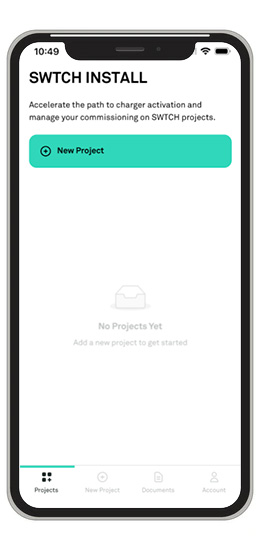
TELL US ABOUT YOUR SWTCH PROJECT
For each project created on the SWTCH Install App, please complete the “Tell Us About Your SWTCH Project” form on the SWTCH Install app at least 48 hours before you plan to commission the chargers. This will ensure that SWTCH can guide you effectively through the commissioning process.
Next step
Step 3 - Onboarding and Activation
Previous step
Step 1 - Installation
In need of assistance?
Have ways to make this process more delightful? Please drop us a quick note letting us know how this could be made better.